Open Source · Self-Hosted · MCP Compatible

Secure Signing
for AI Agents

A signing wallet for EVM and Solana chains. Let AI agents operate on-chain through MCP — while you keep full control of the keys.

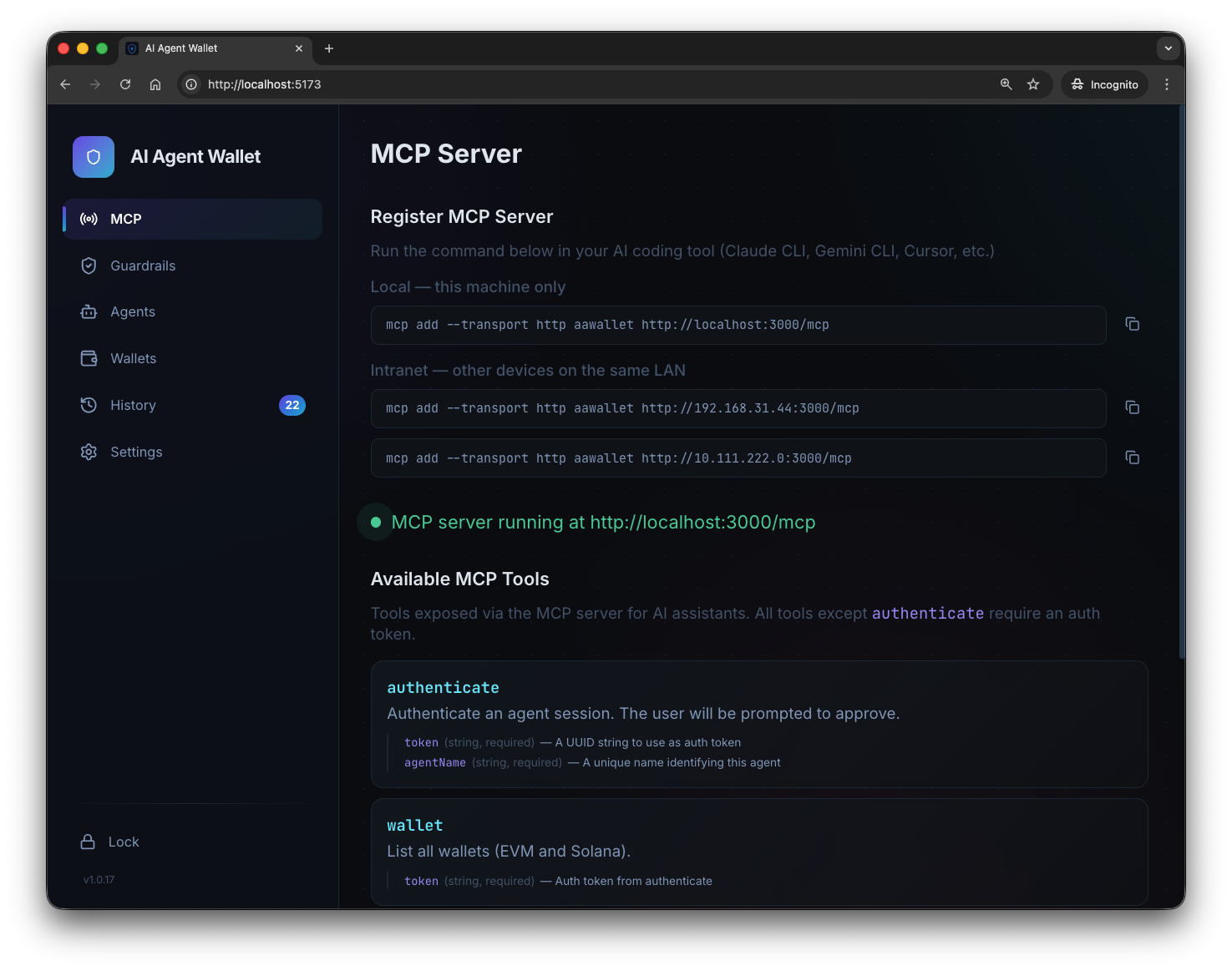
AI Agent Wallet — MCP Server interface
EVM Solana MCP Protocol Ethereum Polygon BSC Base Arbitrum

Your Agent Builds. You Approve.

AI Agent Wallet sits between your AI agent and the blockchain. The agent constructs transactions — the wallet signs them only after your approval.

🤖

Agent Builds Tx

Your AI agent constructs the unsigned transaction

🔒

Wallet Reviews

Parsed details shown with protocol, amounts, recipients

You Approve

Manual approval or auto-approved via guardrail rules

🚀

Agent Broadcasts

Signed tx returned to agent for on-chain submission

Everything You Need

Built for the AI agent era — secure key management, flexible guardrails, and seamless MCP integration.

🔌

MCP Server

Native MCP protocol support. One command to connect Claude, Gemini, Cursor, or any MCP-compatible agent.

🛡

Guardrail Rules

Fine-grained auto-approve rules with protocol filters, chain/wallet selection, recipient allowlists, and spending limits.

🔎

Protocol Parsing

Transactions are decoded and displayed in human-readable format. Protocol verification prevents mismatched calldata.

🤝

Multi-Chain

EVM chains (Ethereum, Polygon, BSC, Base, Arbitrum) and Solana — manage all your wallets in one place.

👤

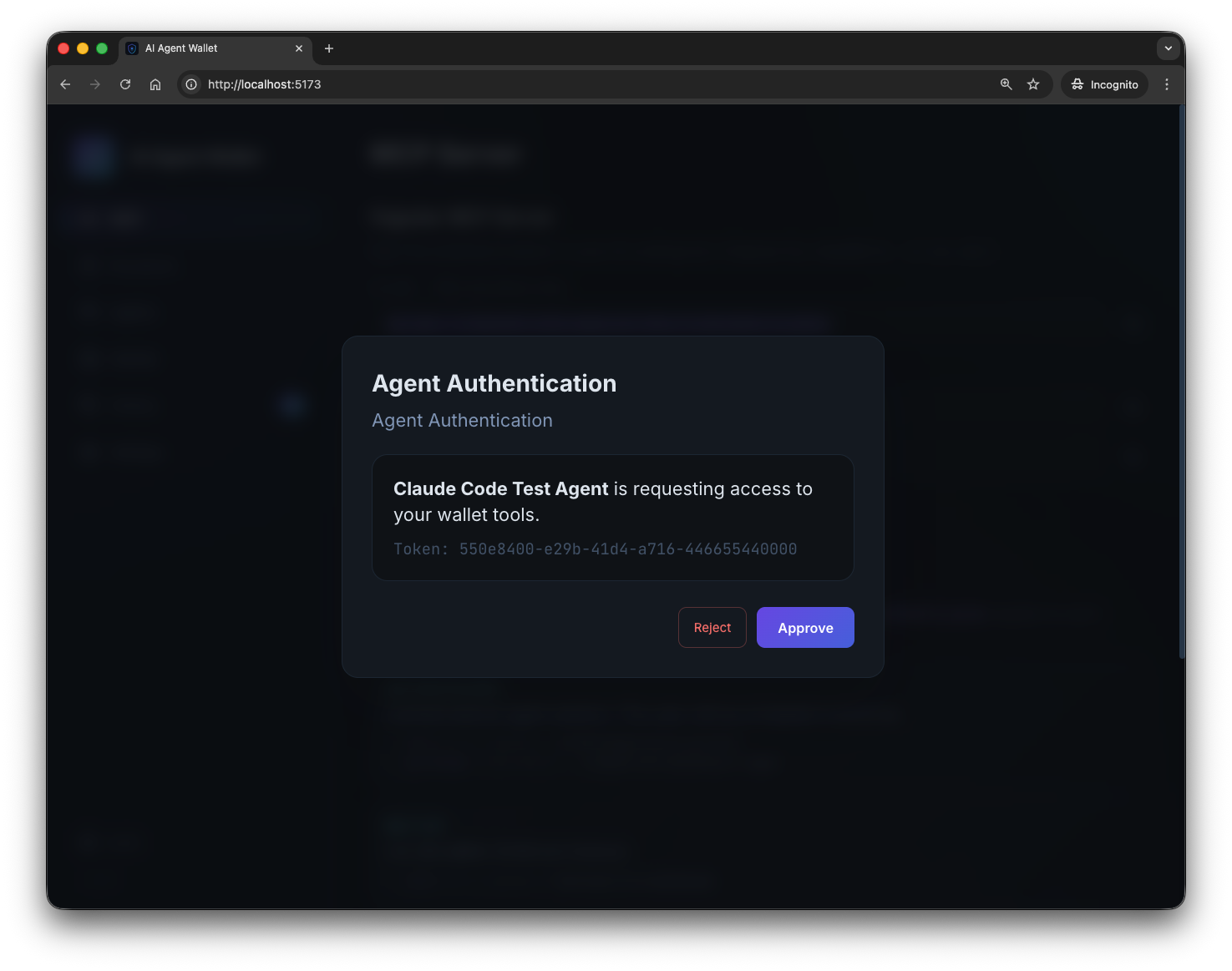
Agent Authentication

Agents must authenticate before accessing wallet tools. Approve or reject each agent with a clear confirmation popup.

🔥

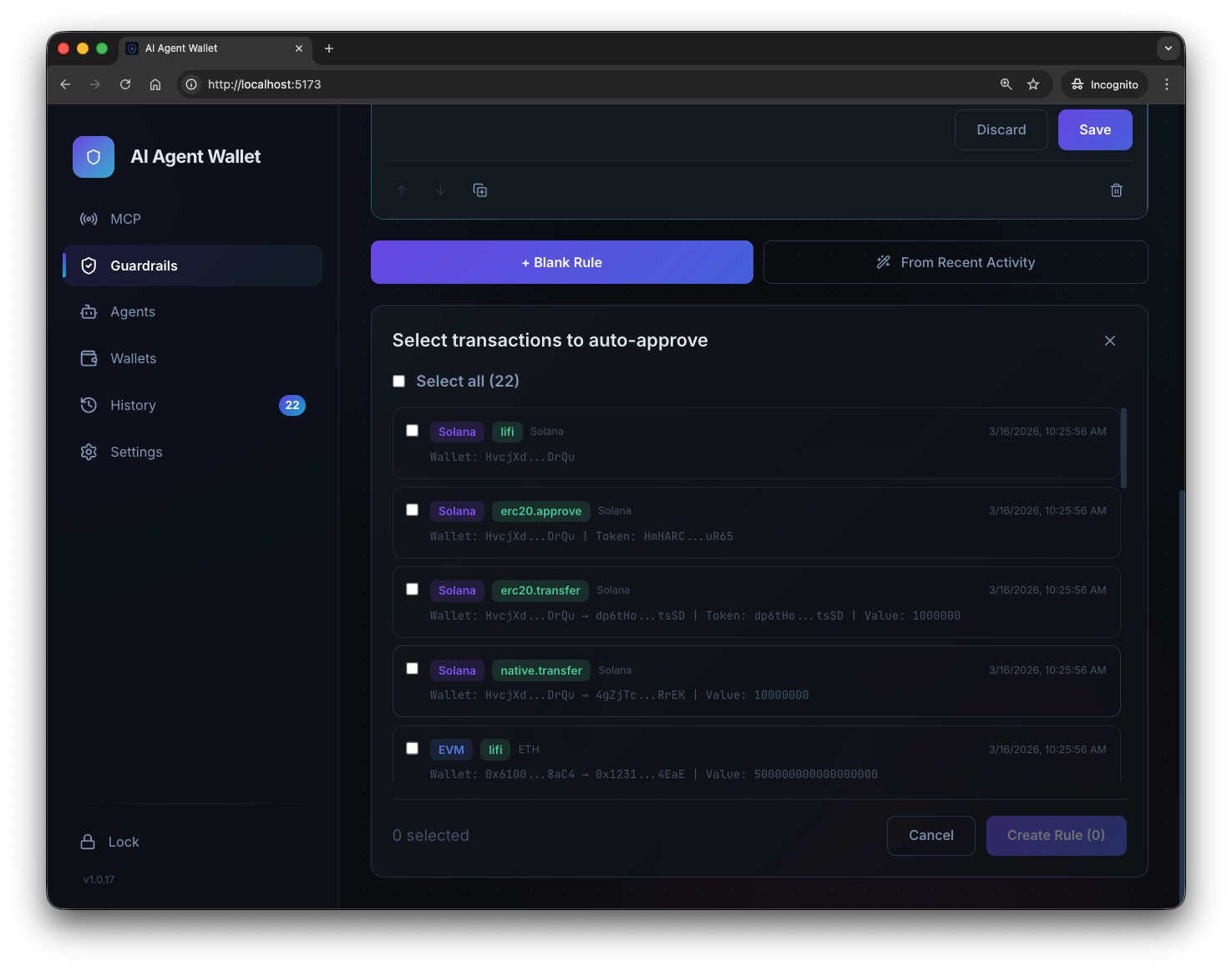
Rule Wizard

Generate guardrail rules directly from your recent signing history. Pick transactions and auto-fill rule parameters.

See It In Action

Neural Mesh design — dark, focused, built for power users.

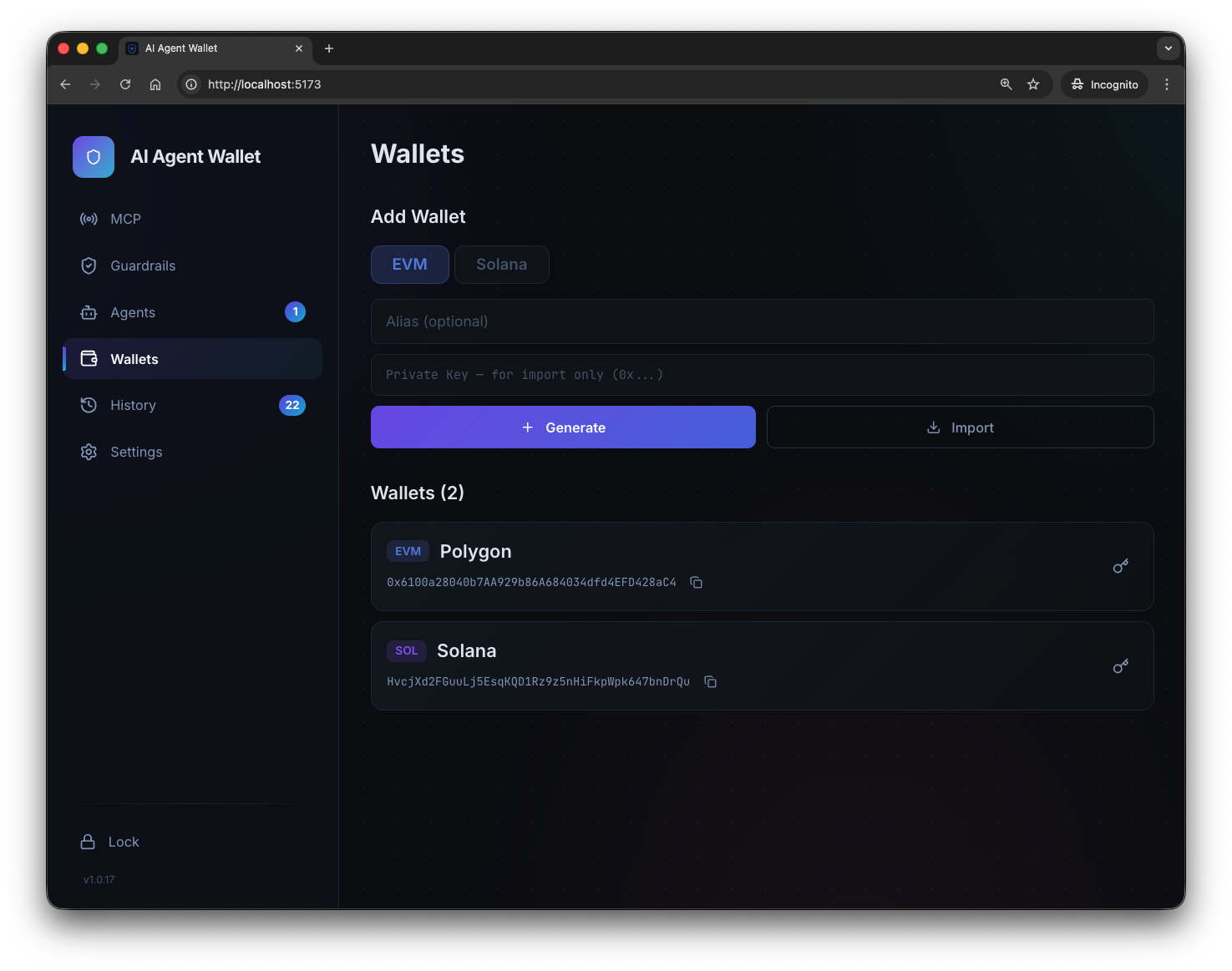
Manage EVM & Solana Wallets

Generate new wallets or import existing private keys. All keys are encrypted with AES-256-GCM and stored locally — never sent anywhere.

  • EVM and Solana side by side
  • One-click address copy
  • Alias naming for easy identification
  • Export encrypted keys between devices
Wallets management

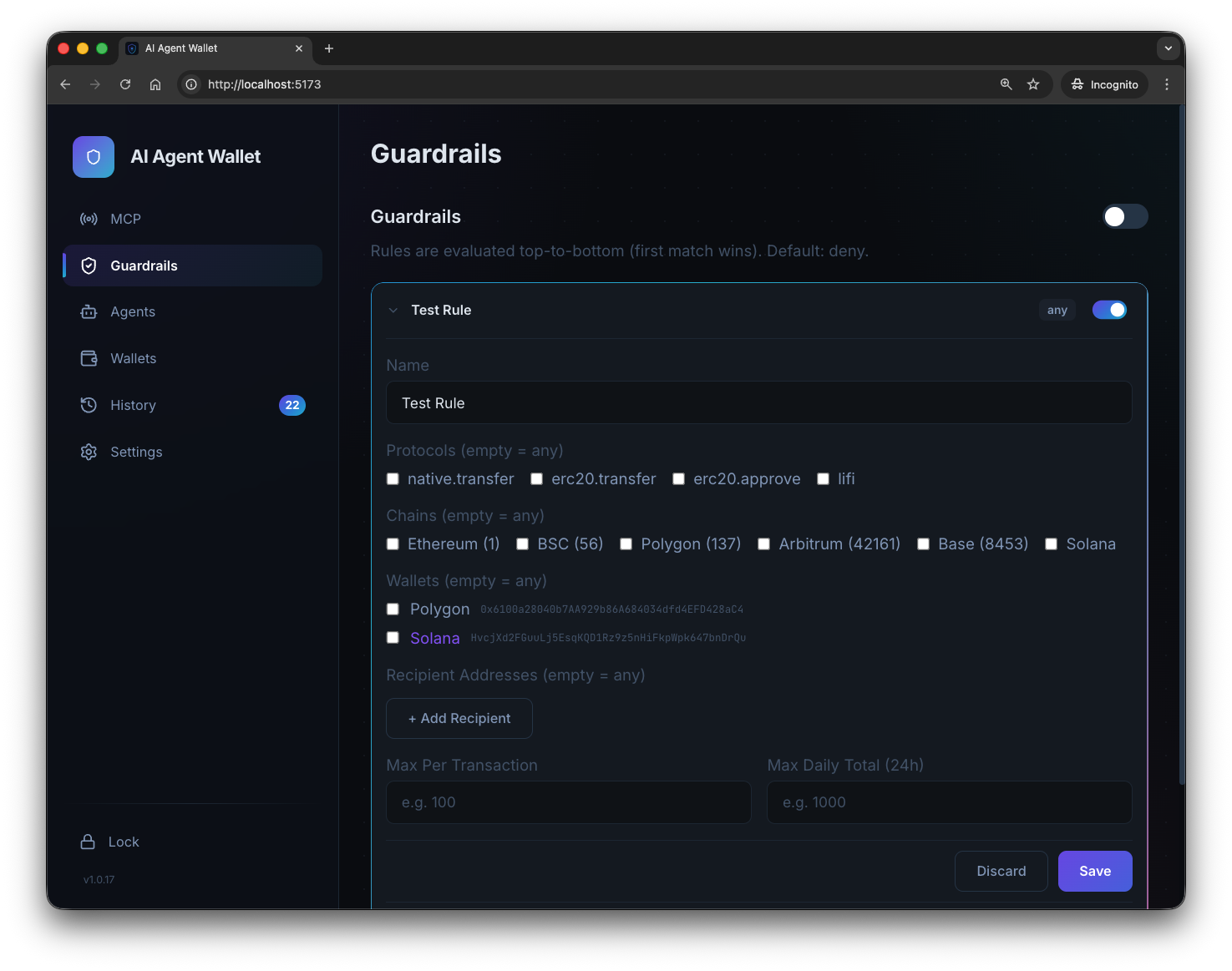
Fine-Grained Auto-Approve Rules

Configure exactly which transactions can be auto-signed. Filter by protocol, chain, wallet, recipient, and set per-transaction and daily spending limits.

  • Protocol-level filtering
  • Per-tx and 24h spending caps
  • Recipient address allowlists
  • Rules only active when locked
Guardrails configuration

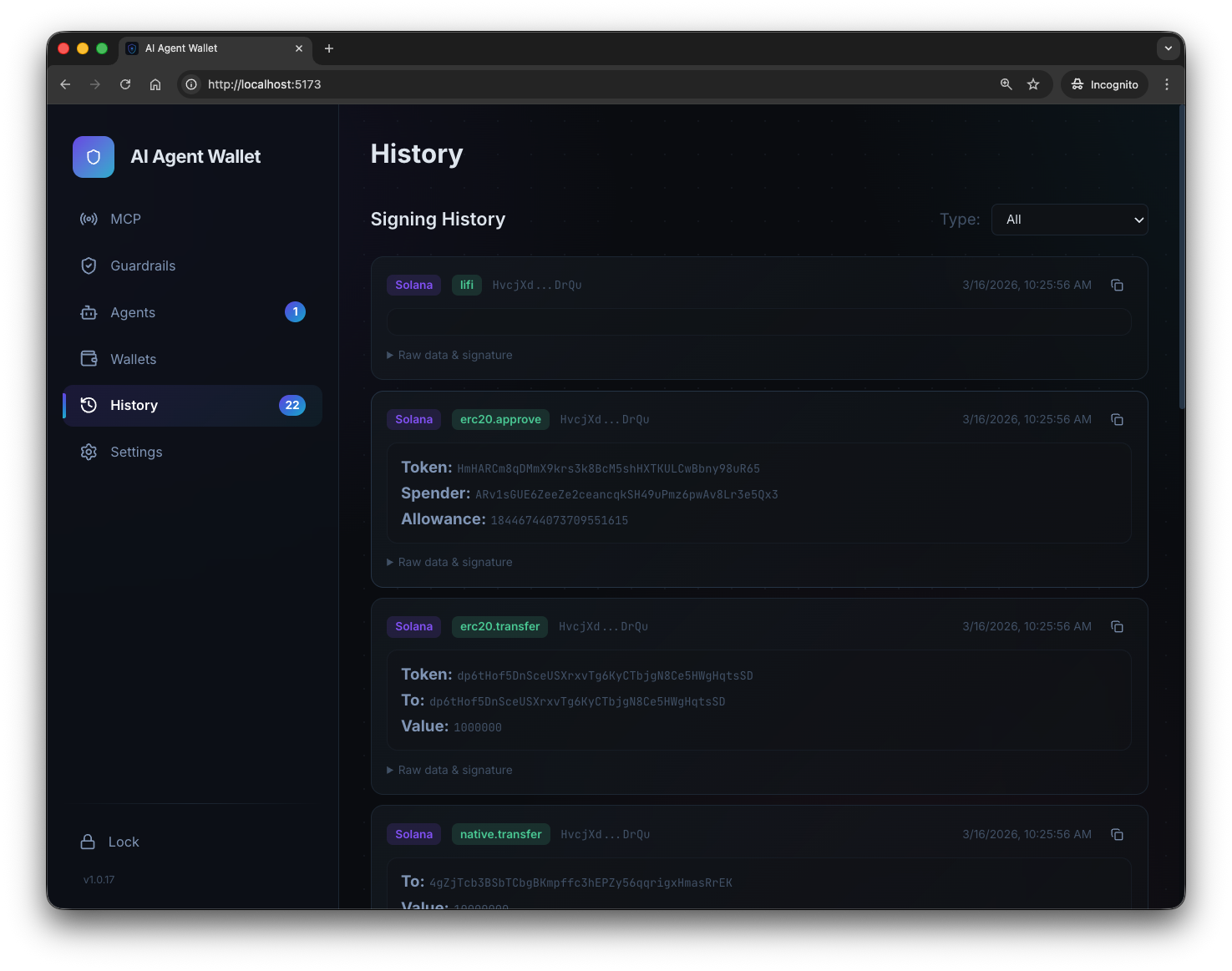
Full Signing History

Every signed transaction is logged with parsed protocol details, chain badges, timestamps, and raw data access. Filter by transaction type.

  • Decoded protocol parameters
  • EVM / Solana chain badges
  • Raw data & signature access
  • Type-based filtering
Signing history

Agent Access Control

Every AI agent must identify itself and request access. You see the agent name and token, then decide to approve or reject — in real time via WebSocket.

  • Real-time approval popup
  • Agent name & token display
  • 60-second auto-reject timeout
  • Session-based token management
Agent authentication

Generate Rules from History

Don't write rules from scratch. Pick transactions from your recent signing history and the wizard automatically extracts protocols, chains, wallets, and recipients into a ready-to-use rule.

  • Select from recent transactions
  • Auto-extract rule parameters
  • Review before saving
Rule Wizard

Security First

Your keys never leave your machine. Every layer is designed with defense in depth.

🔐

AES-256-GCM

Keys encrypted with PBKDF2-SHA256 (100K iterations), unique salt + IV per wallet

Session Timeout

Configurable timeout (1min–24hr) with auto-lock on expiry

🛡

Brute-Force Protection

5 failed attempts trigger a 60-second lockout

📄

Audit Log

All rule changes and auto-signed transactions are permanently logged

🔓

Sign-Only

Wallet never broadcasts — no RPC access, no network exposure

Protocol Verification

Declared protocol must match actual tx calldata

💰

Spending Limits

Per-rule daily spending tracked with BigInt precision

🏠

Local Storage

All data stored locally in ~/.aawallet/ — nothing leaves your machine

Get Started in 60 Seconds

Clone, install, and connect your AI agent.

# Install and run git clone https://github.com/zkwasm/ai-agent-wallet.git cd ai-agent-wallet npm install npm run dev # Open http://localhost:3000, set a password # Go to the MCP tab — copy the one-click command # for your agent (Claude, Gemini, Cursor, etc.)
View on GitHub